Yep, we may get a tiny thank-you (read: commission) when you buy through
links on Gadgetspotr — not enough for a yacht, but enough to keep the lights (and
servers) on.
Learn more
Ooops...!
You've got an alert.
7
Alternatives
0
Likes
The 7 Alternatives to Bambu Lab A1
:
Uncover Smarter 3D Printer Alternatives — 2026
Compare leading 3D Printer alternatives using build volume, speed, and multi material capabilities backed by tested data
Explore Your Options
Alternative products worth considering.
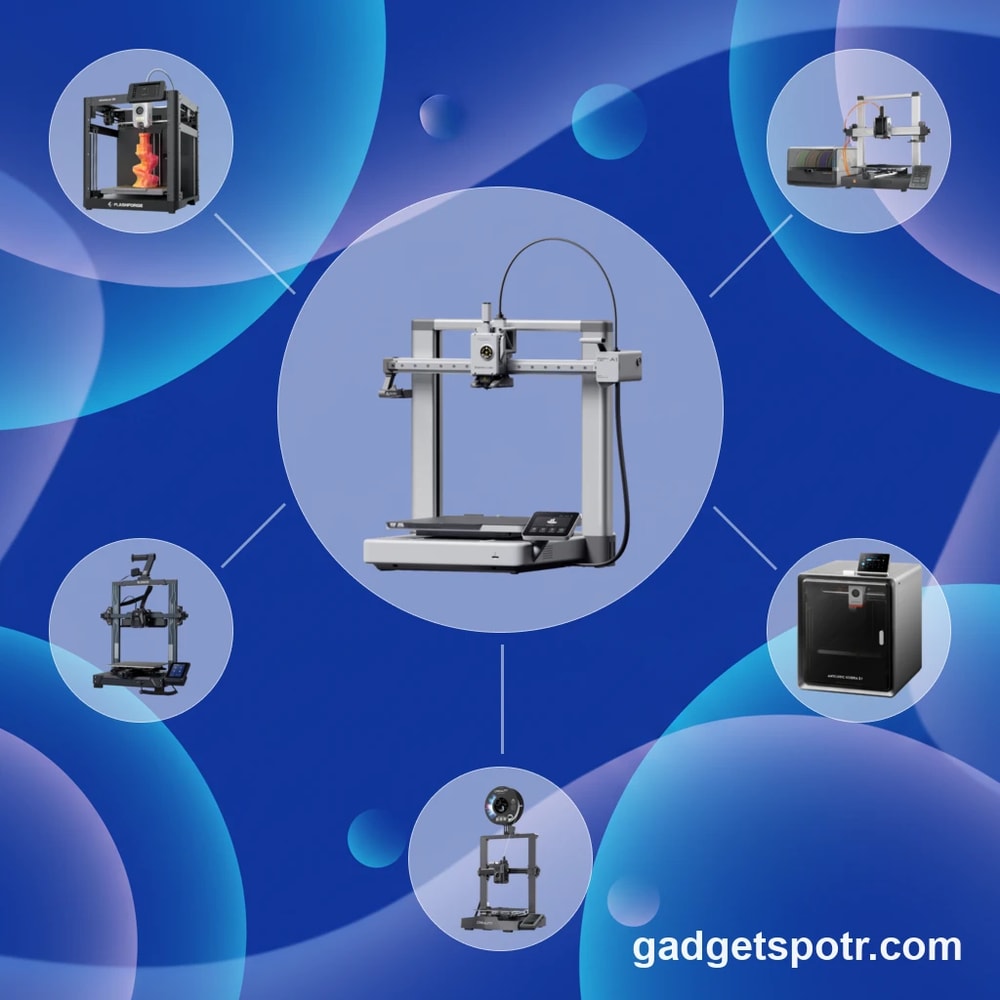
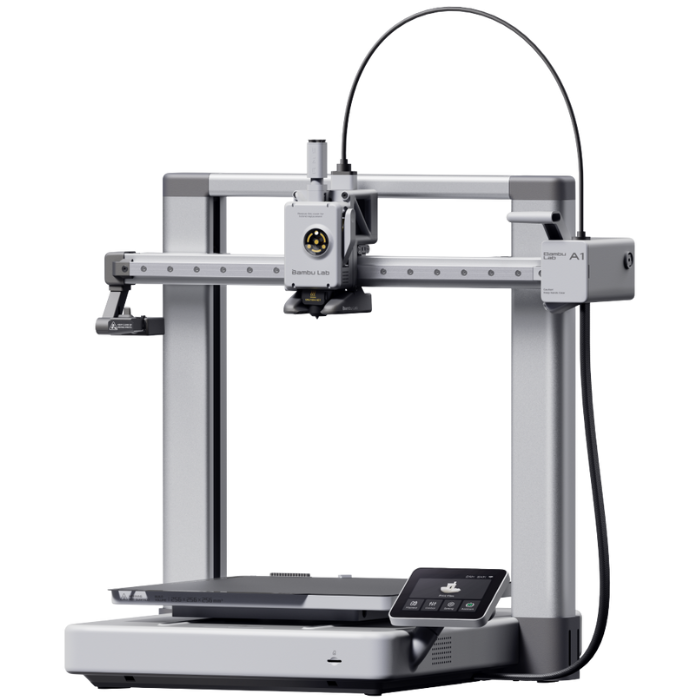
The Bambu Lab A1 has become a useful reference point for buyers who want a modern, easy-to-use 3D Printer with a 256 × 256 × 256 mm build volume and support for multi-color printing through the AMS Lite. But readers looking for the best alternative to Bambu Lab A1 are usually not trying to reject that formula outright; they are trying to refine it. Some want a larger format machine, some care more about enclosure and material flexibility, and others are comparing long-term repairability, software openness, or price-to-feature value.
That is where the comparison gets more interesting than a simple feature checklist. Across the sources, the most useful decision points are measurable ones, including build volume, multi-material capacity, print speed benchmarks, enclosure design, and support commitments. For example, some alternatives emphasize compact beginner usability. In contrast, others push toward CoreXY speed, with figures around 500 mm/s mentioned for higher-performance models, or add practical advantages like enclosed chambers for tougher materials and certified emissions testing, such as UL 2904 Greenguard, when paired with specific PLA or PETG filament.
This guide approaches the category the way many real buyers do, by asking what matters most after the first wave of excitement wears off. A lower upfront price may help if you are just getting started. At the same time, modular upgrades, easier maintenance, or broader material support may matter more if you expect your printing needs to grow. Instead of treating every option as a direct replacement, this Alternative to Bambu Lab A1 guide focuses on where each machine fits, and why those differences can matter in day-to-day printing.
Alternative Options
Other products worth your attention.
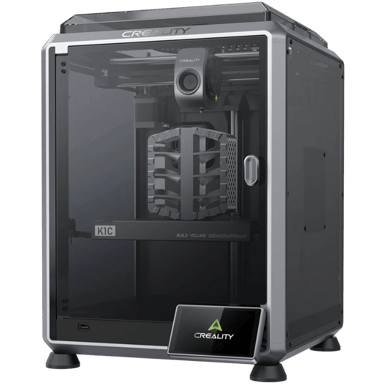
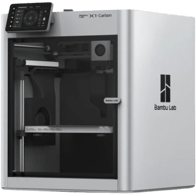
The Creality K1C is a relevant alternative to the Bambu Lab A1 for users seeking a prebuilt FDM/FFF 3D printer suitable for consumer and professional prototyping needs. Both printers share core functionalities aimed at beginner to advanced users with similar use cases.
Both support FDM/FFF printing technology and are designed for prototyping applications.
Each printer features a single direct drive extruder with compatible filament options and auto first layer calibration.
Both have prebuilt assembly types with similar connectivity options including USB and Wi-Fi, supporting cloud or remote usage.
The K1C offers a closed enclosure with air filtration, compared to the open frame of the A1, which may affect print conditions and user environment preferences.
Overall, the Creality K1C provides a strong alternative with slightly broader user level targeting and enhanced environmental control features.
Nerdy Bits & Must-Knows
Specs worth knowing…
Creality K1C
Printer Type
What type of printer is it?
0
Creality K1C
0
Votes
FDM/FFF
3D Printer in this range
Who knows?
(Help us out by suggesting one!)
Defines the printing technology used by the machine.
Don’t keep it to yourself — be the first to react and review the
Printer Type on Creality K1C
◉ and help others decide!
Creality K1C
Intended Use
What is the intended use?
0
Creality K1C
0
Votes
Professional, Consumer
3D Printer in this range
Who knows?
(Help us out by suggesting one!)
Identifies the main user category.
Don’t keep it to yourself — be the first to react and review the
Intended Use on Creality K1C
◉ and help others decide!
Creality K1C
Assembly Type
What is the assembly type?
0
Creality K1C
0
Votes
Prebuilt
3D Printer in this range
Who knows?
(Help us out by suggesting one!)
Shows whether the printer is sold as a kit requiring assembly or fully prebuilt.
Don’t keep it to yourself — be the first to react and review the
Assembly Type on Creality K1C
◉ and help others decide!
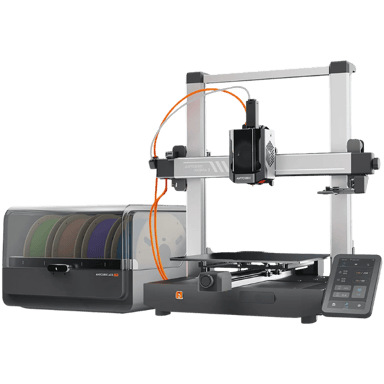
The ANYCUBIC Kobra 3 Combo serves as a relevant alternative to the Bambu Lab A1 for users seeking a consumer-level FDM/FFF 3D printer geared towards prototyping and similar applications. Both printers share key attributes that make the Kobra 3 Combo a practical replacement option.
Both printers are prebuilt and target beginner to intermediate users, making them accessible for similar skill levels.
They employ the same Cartesian frame type with open enclosures, ensuring comparable mechanical design and print environment.
Each model uses a single direct drive extruder and supports a range of filament types suited for flexible and prototyping needs, though the Kobra 3 Combo supports additional materials like ABS and Nylon.
Both printers support auto first layer calibration and use PEI build plate surfaces, which aids print reliability and adhesion.
Overall, the ANYCUBIC Kobra 3 Combo is a strong alternative when considering functionality, intended use, and user experience.
Nerdy Bits & Must-Knows
Specs worth knowing…
ANYCUBIC Kobra 3 Combo
Printer Type
What type of printer is it?
0
ANYCUBIC Kobra 3 Combo
0
Votes
FDM/FFF
3D Printer in this range
Who knows?
(Help us out by suggesting one!)
Defines the printing technology used by the machine.
Don’t keep it to yourself — be the first to react and review the
Printer Type on ANYCUBIC Kobra 3 Combo
◉ and help others decide!
3D Printer in this range
Who knows?
(Help us out by suggesting one!)
Indicates the recommended skill level.
Don’t keep it to yourself — be the first to react and review the
Target User Level on ANYCUBIC Kobra 3 Combo
◉ and help others decide!
ANYCUBIC Kobra 3 Combo
Frame Type
What is the frame type?
0
ANYCUBIC Kobra 3 Combo
0
Votes
Cartesian
3D Printer in this range
Who knows?
(Help us out by suggesting one!)
ANYCUBIC Kobra 3 Combo
The printer utilizes a Cartesian frame type, which moves the print head along X, Y, and Z axes to create prints, a common and precise motion system in 3D printing.
Mechanical structure style of the printer.
Don’t keep it to yourself — be the first to react and review the
Frame Type on ANYCUBIC Kobra 3 Combo
◉ and help others decide!
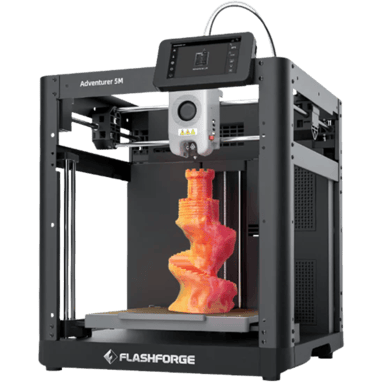
The Flashforge Adventurer 5M is a relevant alternative to the Bambu Lab A1 for users looking for a consumer-grade FDM printer released in 2023. Both printers cater to beginners and emphasize prototyping capabilities, making the Adventurer 5M a practical substitute depending on specific needs.
Both printers are consumer-oriented FDM/FFF models released in the same year (2023), offering similar core technology and purpose.
Each is prebuilt with a single direct drive extruder, ensuring ease of setup and comparable extrusion performance.
Both support a broad range of filaments including PLA, PETG, and TPU, allowing flexible material choices for prototyping.
The Adventurer 5M includes additional filament options like ABS, ASA, and Carbon Fiber, which might appeal to more advanced or professional users.
Connectivity options overlap with USB and Wi-Fi support, with the Adventurer 5M also adding LAN and cloud connectivity, enhancing networking flexibility.
Both feature automatic first layer calibration and PEI build plates facilitating reliable print adhesion and user convenience.
The Adventurer 5M differs slightly with a closed enclosure, carbon air filtration, and a CoreXY motion system, which may impact print environment and noise levels compared to the Bambu Lab A1's open Cartesian frame.
Overall, the Flashforge Adventurer 5M can serve as a strong functional alternative to the Bambu Lab A1, particularly for users valuing filament variety and enclosure features.
Nerdy Bits & Must-Knows
Specs worth knowing…
Flashforge Adventurer 5M
Release Year
What is the release year?
0
Flashforge Adventurer 5M
0
Votes
2023
3D Printer in this range
Who knows?
(Help us out by suggesting one!)
Flashforge Adventurer 5M
The Flashforge Adventurer 5M was released in 2023, integrating modern features and technologies for 3D printing.
The year the 3D printer was first released.
Don’t keep it to yourself — be the first to react and review the
Release Year on Flashforge Adventurer 5M
◉ and help others decide!
Flashforge Adventurer 5M
Printer Type
What type of printer is it?
0
Flashforge Adventurer 5M
0
Votes
FDM/FFF
3D Printer in this range
Who knows?
(Help us out by suggesting one!)
Flashforge Adventurer 5M
This is an FDM/FFF (Fused Deposition Modeling / Fused Filament Fabrication) type printer, which is the most common method for desktop 3D printing, building objects layer by layer from melted thermoplastic filament.
Defines the printing technology used by the machine.
Don’t keep it to yourself — be the first to react and review the
Printer Type on Flashforge Adventurer 5M
◉ and help others decide!
Flashforge Adventurer 5M
Assembly Type
What is the assembly type?
0
Flashforge Adventurer 5M
0
Votes
Prebuilt
3D Printer in this range
Who knows?
(Help us out by suggesting one!)
Shows whether the printer is sold as a kit requiring assembly or fully prebuilt.
Don’t keep it to yourself — be the first to react and review the
Assembly Type on Flashforge Adventurer 5M
◉ and help others decide!
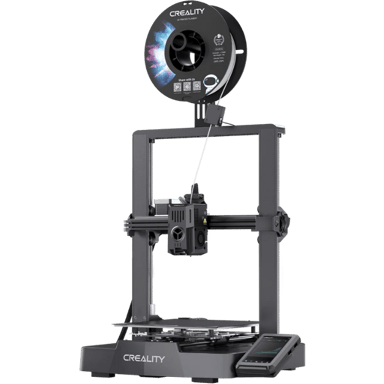
The Creality Ender-3 V3 KE is a relevant alternative to the Bambu Lab A1 for users seeking a consumer-level FDM 3D printer primarily for prototyping. Both printers serve beginner to intermediate users and share essential functions and capabilities, though there are some differences in features and supported materials.
Both are prebuilt FDM/FFF printers released in 2023, targeting consumer-level prototyping applications.
They support similar user levels (beginner and intermediate) and have comparable warranty periods of one year.
Each printer has a single direct drive extruder and supports key filament types such as PLA, PETG, and TPU, with the Ender-3 additionally supporting ABS and ASA.
Connectivity options overlap, both offering USB and Wi-Fi along with cloud connectivity, making remote file transfer and management feasible.
While the Ender-3 V3 KE includes some features like linear rails for motion and support for an enclosure as an upgrade, the overall functional similarity makes it a strong alternative to the Bambu Lab A1, suitable for similar printing tasks and user needs.
Nerdy Bits & Must-Knows
Specs worth knowing…
Creality Ender-3 V3 KE
Printer Type
What type of printer is it?
0
Creality Ender-3 V3 KE
0
Votes
FDM/FFF
3D Printer in this range
Who knows?
(Help us out by suggesting one!)
Defines the printing technology used by the machine.
Don’t keep it to yourself — be the first to react and review the
Printer Type on Creality Ender-3 V3 KE
◉ and help others decide!
Creality Ender-3 V3 KE
Target User Level
What is the target user level?
0
Creality Ender-3 V3 KE
0
Votes
Beginner, Intermediate
3D Printer in this range
Who knows?
(Help us out by suggesting one!)
Indicates the recommended skill level.
Don’t keep it to yourself — be the first to react and review the
Target User Level on Creality Ender-3 V3 KE
◉ and help others decide!
Creality Ender-3 V3 KE
Number of Extruders
How many extruders does the printer have?
0
Creality Ender-3 V3 KE
0
Votes
1
3D Printer in this range
Who knows?
(Help us out by suggesting one!)
total extruders installed.
Don’t keep it to yourself — be the first to react and review the
Number of Extruders on Creality Ender-3 V3 KE
◉ and help others decide!
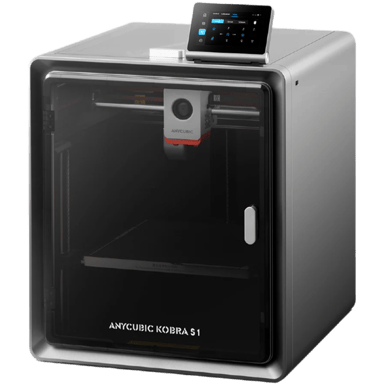
The ANYCUBIC Kobra S1 and Bambu Lab A1 are both consumer-focused FDM 3D printers designed primarily for prototyping and beginner users. Given their similar functionalities and intended use cases, the Kobra S1 can serve as a relevant alternative for users seeking an accessible, prebuilt 3D printer for general prototyping.
Both printers are FDM/FFF type and target the consumer market with beginner-friendly designs.
Each comes prebuilt with similar assembly requirements, offering ease of setup.
Both support common filament types suitable for prototyping, such as PLA, PETG, and TPU, with minor differences in filament compatibility.
They share similar hardware features like single direct drive extruders, heated print beds with PEI magnetic flex plates, auto first layer calibration, and Cartesian frames.
Both provide connectivity via USB and support popular slicers for smooth workflow integration.
While the ANYCUBIC Kobra S1 lacks some multi-material printing options and advanced upgrade paths the Bambu Lab A1 offers, it remains a strong functional alternative for basic to intermediate prototyping needs.
Nerdy Bits & Must-Knows
Specs worth knowing…
ANYCUBIC Kobra S1
Printer Type
What type of printer is it?
0
ANYCUBIC Kobra S1
0
Votes
FDM/FFF
3D Printer in this range
Who knows?
(Help us out by suggesting one!)
Defines the printing technology used by the machine.
Don’t keep it to yourself — be the first to react and review the
Printer Type on ANYCUBIC Kobra S1
◉ and help others decide!
ANYCUBIC Kobra S1
Intended Use
What is the intended use?
0
ANYCUBIC Kobra S1
0
Votes
Consumer
3D Printer in this range
Who knows?
(Help us out by suggesting one!)
Identifies the main user category.
Don’t keep it to yourself — be the first to react and review the
Intended Use on ANYCUBIC Kobra S1
◉ and help others decide!
ANYCUBIC Kobra S1
Assembly Type
What is the assembly type?
0
ANYCUBIC Kobra S1
0
Votes
Prebuilt
3D Printer in this range
Who knows?
(Help us out by suggesting one!)
ANYCUBIC Kobra S1
While categorized as Prebuilt, the Anycubic Kobra S1 still requires some minor assembly steps, typical for many desktop 3D printers that come partially pre-assembled to reduce shipping size.
Shows whether the printer is sold as a kit requiring assembly or fully prebuilt.
Don’t keep it to yourself — be the first to react and review the
Assembly Type on ANYCUBIC Kobra S1
◉ and help others decide!
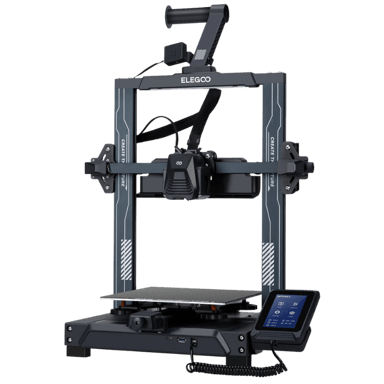
The ELEGOO Neptune 4 is a relevant alternative to the Bambu Lab A1 as both are consumer-level FDM/FFF 3D printers released in 2023, targeting beginner and intermediate users for prototyping and similar creative applications.
Both printers use the FDM/FFF printing technology and support PLA and TPU filaments, making them suitable for similar printing needs.
The target user levels overlap, with both aimed at beginners and intermediates, ensuring comparable ease of use and accessibility.
Each printer includes auto first-layer calibration and uses PEI magnetic flex build plates, which enhance print adhesion and ease of print removal.
Connectivity options such as USB and Wi-Fi are available on both models, supporting flexible file transfer and remote operation.
While there are differences such as the assembly type (prebuilt vs. kit) and some filament compatibilities, the Neptune 4 can practically replace the Bambu Lab A1 for most relevant user needs.
Nerdy Bits & Must-Knows
Specs worth knowing…
ELEGOO Neptune 4
Printer Type
What type of printer is it?
0
ELEGOO Neptune 4
0
Votes
FDM/FFF
3D Printer in this range
Who knows?
(Help us out by suggesting one!)
ELEGOO Neptune 4
This printer uses FDM/FFF (Fused Deposition Modeling / Fused Filament Fabrication) technology, which builds objects layer by layer by extruding molten thermoplastic filament.
Defines the printing technology used by the machine.
Don’t keep it to yourself — be the first to react and review the
Printer Type on ELEGOO Neptune 4
◉ and help others decide!
ELEGOO Neptune 4
Target User Level
What is the target user level?
0
ELEGOO Neptune 4
0
Votes
Beginner, Intermediate
3D Printer in this range
Who knows?
(Help us out by suggesting one!)
Indicates the recommended skill level.
Don’t keep it to yourself — be the first to react and review the
Target User Level on ELEGOO Neptune 4
◉ and help others decide!
ELEGOO Neptune 4
First Layer Calibration
How is the first layer calibrated?
0
ELEGOO Neptune 4
0
Votes
Auto
3D Printer in this range
Who knows?
(Help us out by suggesting one!)
Method used for first-layer bed calibration.
Don’t keep it to yourself — be the first to react and review the
First Layer Calibration on ELEGOO Neptune 4
◉ and help others decide!
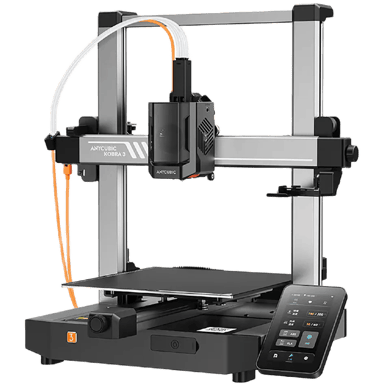
The ANYCUBIC Kobra 3 is a relevant alternative to the Bambu Lab A1, offering similar core functionality as a prebuilt FDM/FFF 3D printer aimed at consumer and professional users. It supports comparable applications such as prototyping and uses similar printing technologies and materials.
Both printers are prebuilt with single direct drive extruders, designed for consumer use with some professional capabilities.
Each supports multi-material printing upgrades and a wide variety of common filament types, including PLA, PETG, TPU, with ANYCUBIC adding some advanced materials like ABS, PA, and PC.
They share similar connectivity options such as USB and Wi-Fi, facilitating easy file transfer and remote operation.
Both printers use Cartesian frames with open enclosures and similar build plate surfaces, enabling comparable print accuracy and quality.
Overall, the ANYCUBIC Kobra 3 can practically replace the Bambu Lab A1 for most users, especially those at an intermediate or advanced level seeking slightly broader material support and application scope.
Nerdy Bits & Must-Knows
Specs worth knowing…
ANYCUBIC Kobra 3
Printer Type
What type of printer is it?
0
ANYCUBIC Kobra 3
0
Votes
FDM/FFF
3D Printer in this range
Who knows?
(Help us out by suggesting one!)
Defines the printing technology used by the machine.
Don’t keep it to yourself — be the first to react and review the
Printer Type on ANYCUBIC Kobra 3
◉ and help others decide!
ANYCUBIC Kobra 3
Assembly Type
What is the assembly type?
0
ANYCUBIC Kobra 3
0
Votes
Prebuilt
3D Printer in this range
Who knows?
(Help us out by suggesting one!)
ANYCUBIC Kobra 3
The printer comes Prebuilt, minimizing setup time and allowing users to start printing quickly.
Shows whether the printer is sold as a kit requiring assembly or fully prebuilt.
Don’t keep it to yourself — be the first to react and review the
Assembly Type on ANYCUBIC Kobra 3
◉ and help others decide!
Stuff You Were Too Shy to Ask
But we answered it anyway.
What build volume matters when comparing 3D printers?
Build volume determines the maximum object size you can print in one piece, so it directly affects project flexibility. A common reference point is around 256 × 256 × 256 mm, which supports medium functional parts and models. Larger volumes, such as 300 mm cubed, may reduce the need for splitting prints, but can increase footprint and cost. Smaller volumes can still work well for hobby use. Interpreting this spec depends on whether you prioritize compact desk placement or the ability to produce larger components without assembly.
How does print speed affect real world results?
Print speed is often listed in millimeters per second, with some modern machines reaching around 500 mm/s under ideal conditions. However, higher speeds can introduce artifacts like ghosting or weaker layer bonding if cooling and motion systems are not optimized. In practice, consistent quality at moderate speeds is often more valuable than peak speed claims. Evaluating this metric requires balancing speed with surface finish and structural integrity, especially for detailed or load-bearing prints.
Why is multi material capability important for users?
Multi-material capability allows switching between different filaments or colors during a single print, which can improve both aesthetics and functionality. Systems that support up to 4 filaments simplify this process, though they may generate additional waste during material changes. This feature is especially useful for complex models or prototypes with multiple properties. When comparing options, consider setup complexity, material compatibility, and how efficiently the system handles transitions between filaments.
What role does enclosure design play in print quality?
An enclosed build chamber helps maintain stable temperatures, which is important when printing materials like ABS that are sensitive to cooling changes. Printers with fully enclosed chambers may reduce warping and improve layer adhesion, especially in variable environments. Open-frame designs are typically sufficient for PLA or PETG but may struggle with advanced materials. Choosing between these designs depends on your material needs and whether environmental control is necessary for consistent results.
How important is automatic calibration in daily use?
Automatic calibration systems, including bed leveling and first-layer checks, can significantly reduce setup time and user error. Printers with self-calibration features help ensure consistent first-layer adhesion, which is critical for successful prints. Some systems use sensors or lidar-based detection to verify alignment and surface conditions. This reduces the need for manual adjustments and improves reliability, especially for beginners or users who prefer a more streamlined workflow.
What safety or emission certifications should be considered?
Some 3D printers and materials are tested for emissions such as volatile organic compounds and ultrafine particles. Certifications like UL 2904 Greenguard indicate that a system has been evaluated under controlled conditions with specific filaments. While not all printers carry such certifications, they can provide additional confidence for indoor use. It is still advisable to operate printers in well-ventilated areas, as emissions vary depending on material and print settings.
How does long term support impact ownership experience?
Long-term support includes firmware updates, replacement parts availability, and upgrade pathways. Some manufacturers provide multi-year update commitments and modular upgrades that extend product lifespan. This can reduce total cost of ownership and help maintain compatibility with new features. In contrast, limited support may lead to faster obsolescence. When comparing alternatives, consider whether the manufacturer offers ongoing updates, accessible repair guides, and consistent parts availability.
Which usability factors matter most for beginners and regular use?
Ease of use often depends on setup time, interface design, and connectivity options. Features like wireless printing, guided setup, and intuitive software can reduce friction for new users. Some printers require manual calibration or additional configuration, which may increase the learning curve. Compared to systems like the Bambu Lab A1, alternatives may vary in how streamlined their workflows are. Evaluating usability involves considering how often you print and how much time you want to spend on setup and maintenance.
Big Brain Stuff, Summed Up
Because who reads everything, right?
Choosing the best alternative to Bambu Lab A1 ultimately comes down to how you weigh measurable factors like build volume, print speed, and material capability. A standard 256 mm cubed capacity works well for most users, but larger formats near 300 mm can expand project scope. Similarly, speed claims around 500 mm/s may indicate strong performance potential, though consistent quality and reliability often matter more in daily use than peak benchmarks.
Other differences can shape long-term satisfaction. Enclosed designs may help stabilize temperature for engineering-grade materials, while multi-material systems supporting up to four filaments can improve flexibility at the cost of additional waste. Features like automatic calibration, wireless connectivity, and documented update support through multi-year commitments can also signal ease of ownership. Certifications such as UL 2904 Greenguard may further indicate attention to emissions, which can be relevant for indoor environments.
Rather than focusing on a single “best” option, it helps to match specifications to your actual use case, whether that is beginner-friendly operation, scalable upgrades, or advanced material support. By comparing these verified metrics across models, you can identify a 3D Printer that aligns with your priorities and delivers consistent results over time.